Add Hyperlink
Add external hyperlinks as menu items in the ProConomics Portal.
Step 1
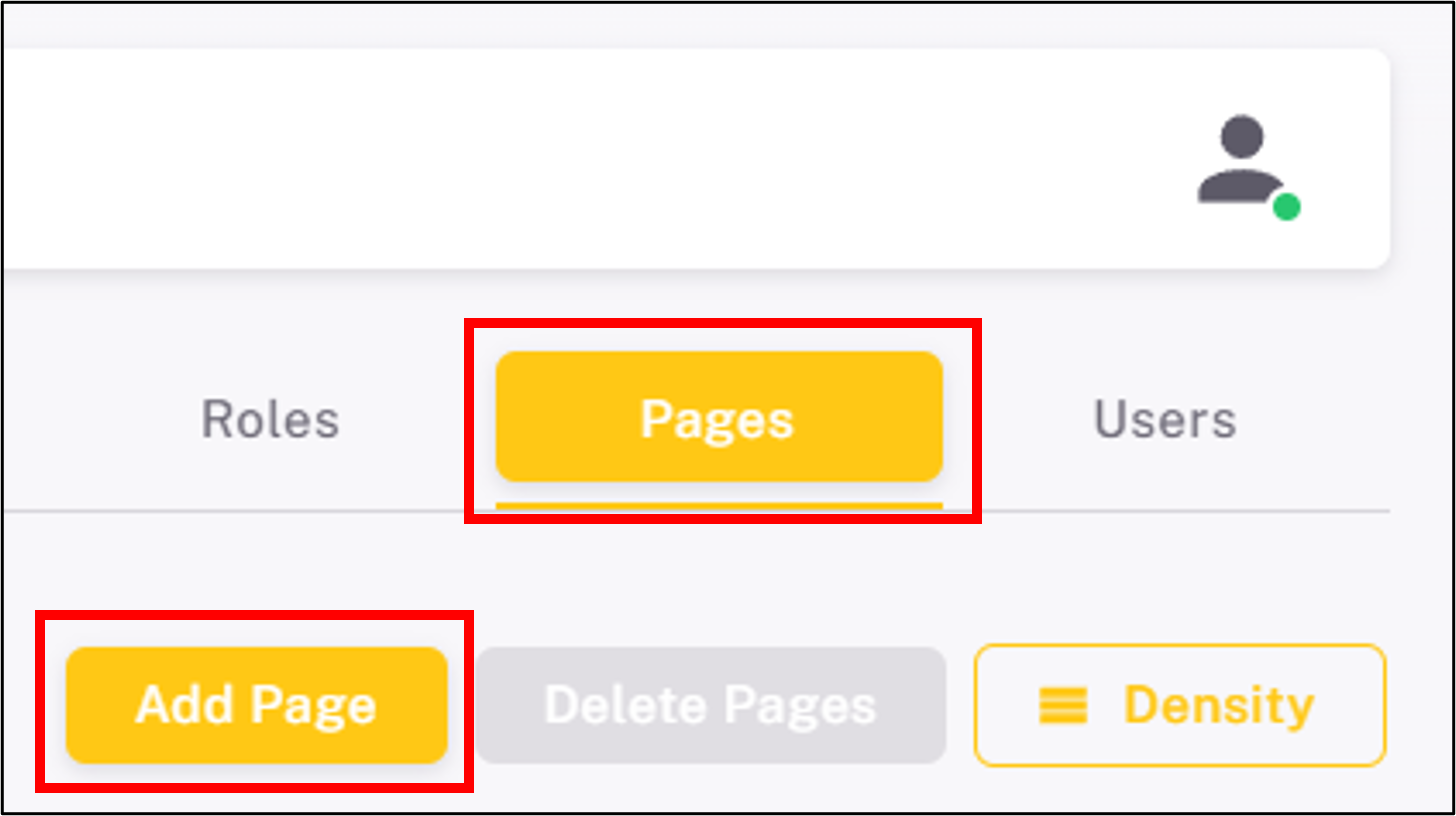
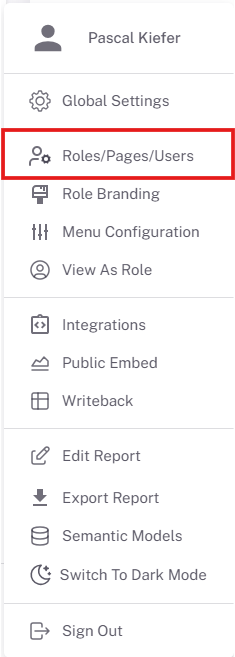
Navigate to the Pages section in the admin panel and click "Add Hyperlink".
Step 2
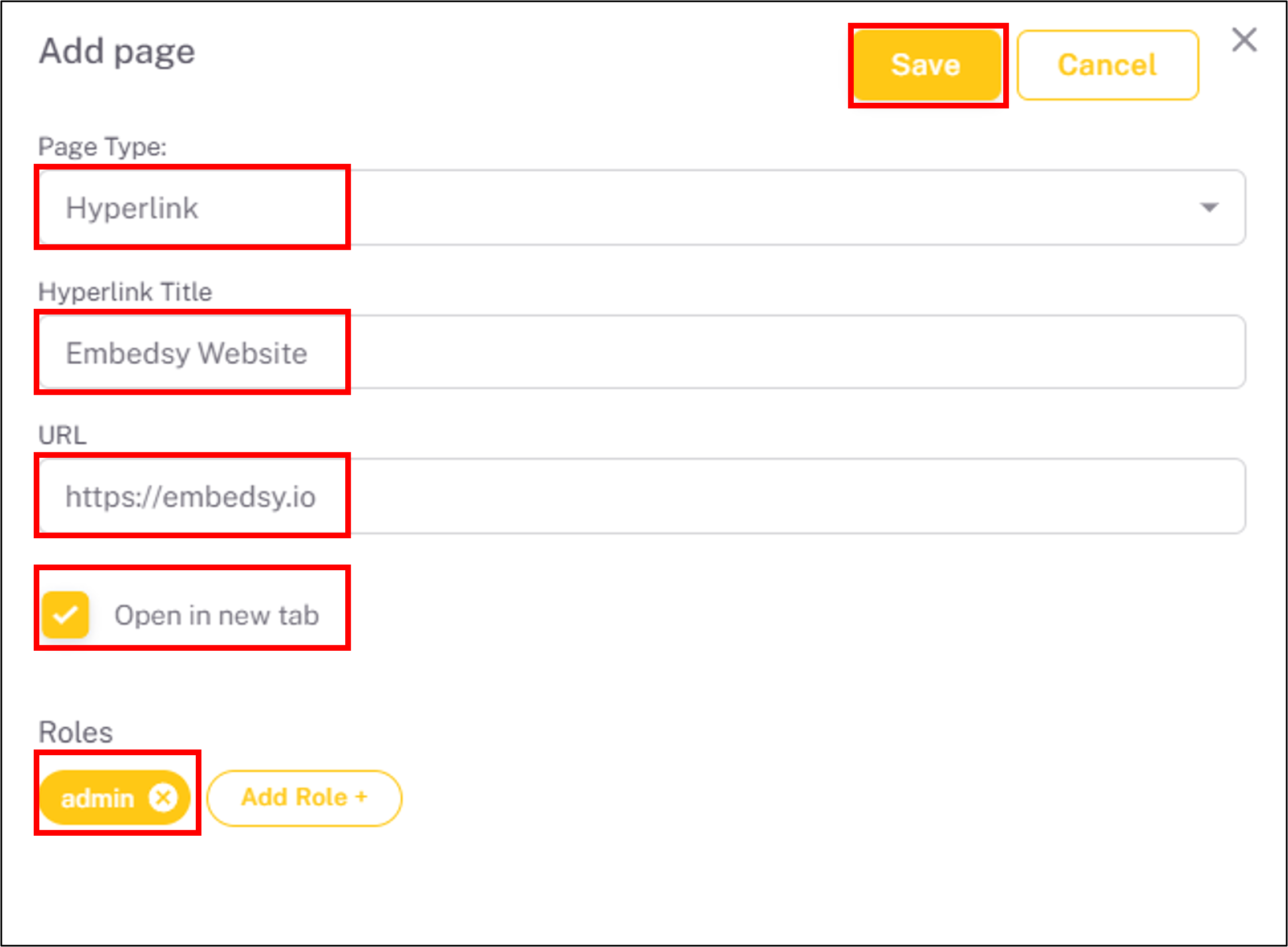
Enter the display name and the URL for the hyperlink.
Step 3
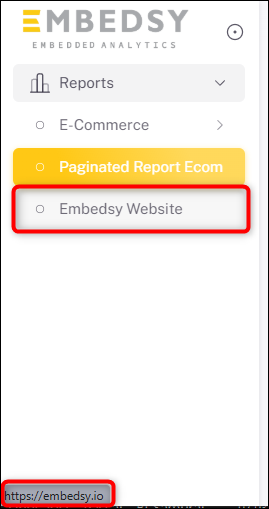
The hyperlink will now appear in the menu. Clicking it will open the URL in a new tab.