Fabric Admin Settings
How to change the Fabric / Power BI Admin settings to allow the Service Principal to embed content.
Step 1
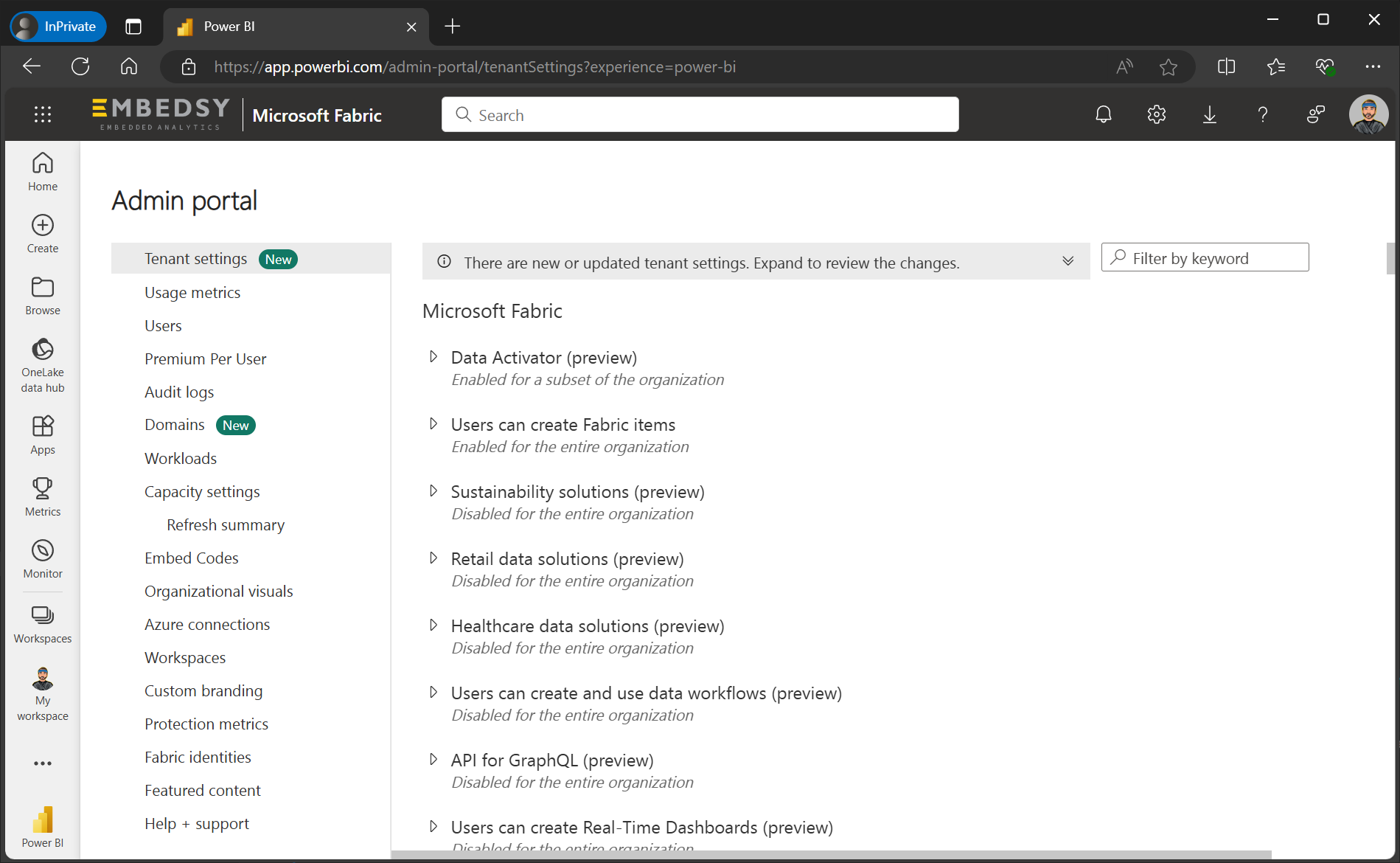
Navigate to the Fabric Admin Portal. Go to Tenant Settings.
Step 2
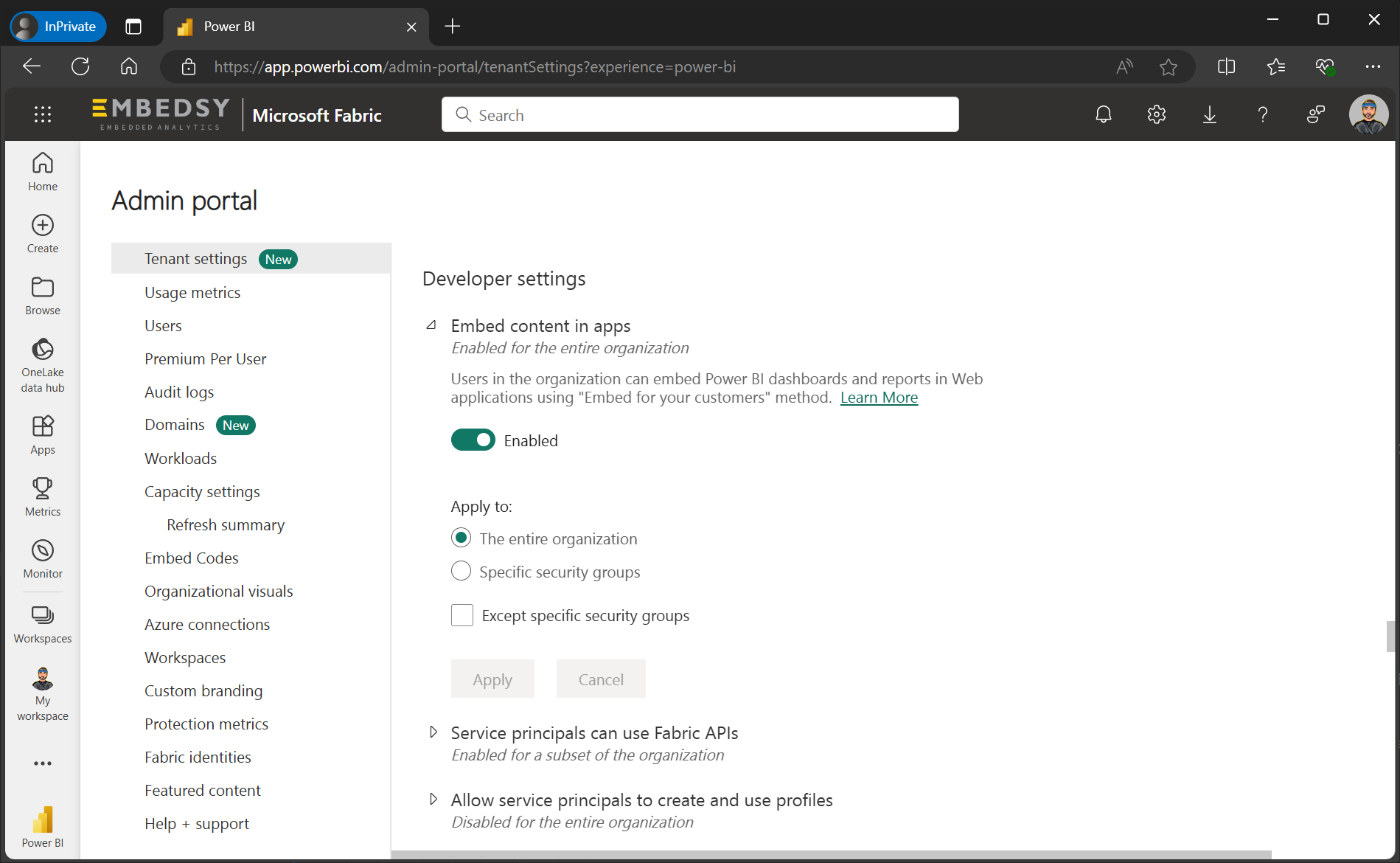
Search for "Embed content in apps" and enable it. Apply it to the Security Group you created in the previous step.
Step 3
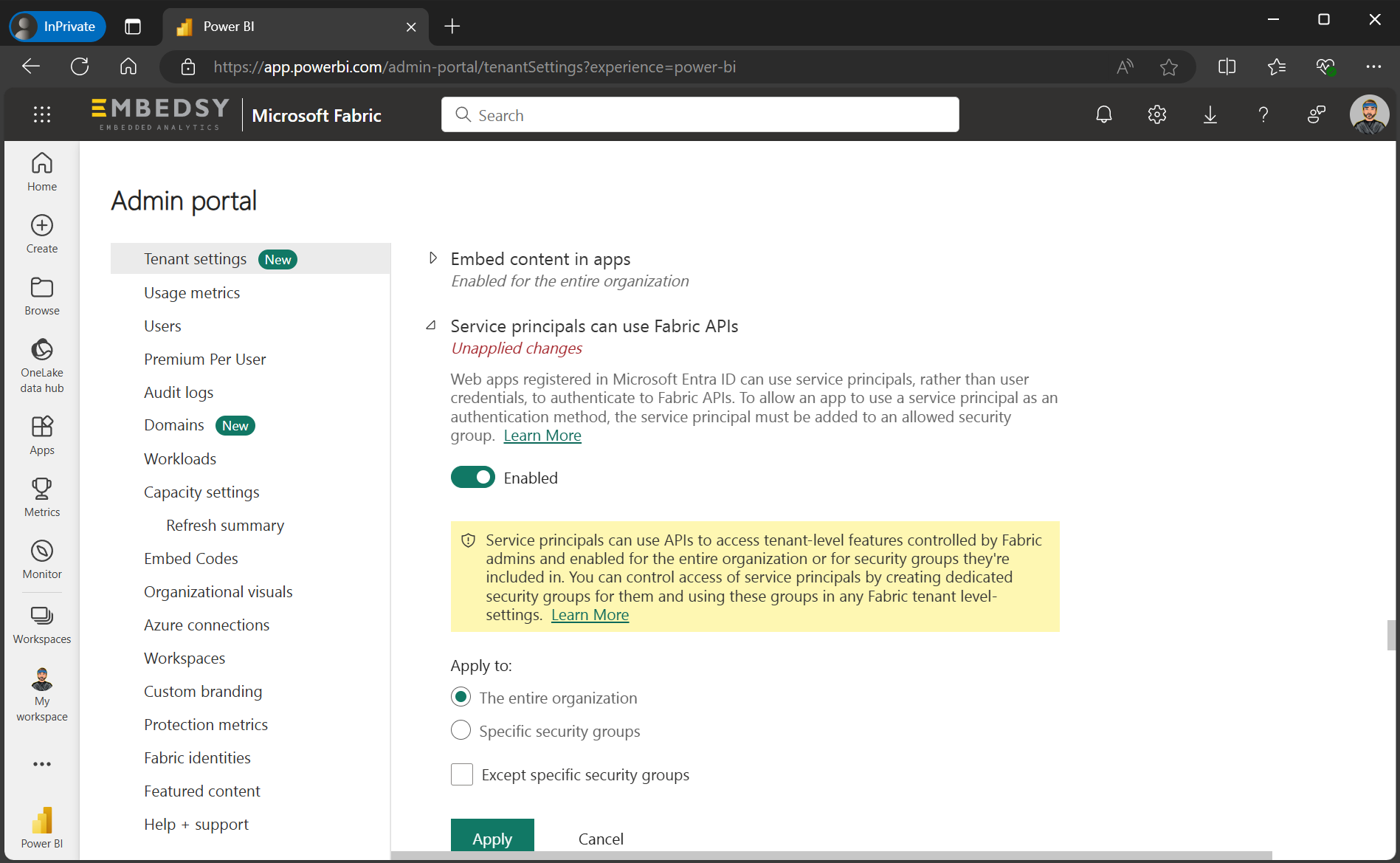
Search for "Service principals can use Fabric APIs" and enable it. Apply it to the same Security Group.