Entra Security Group
How to create a Microsoft Entra Security Group and add the Service Principal to it.
Step 1
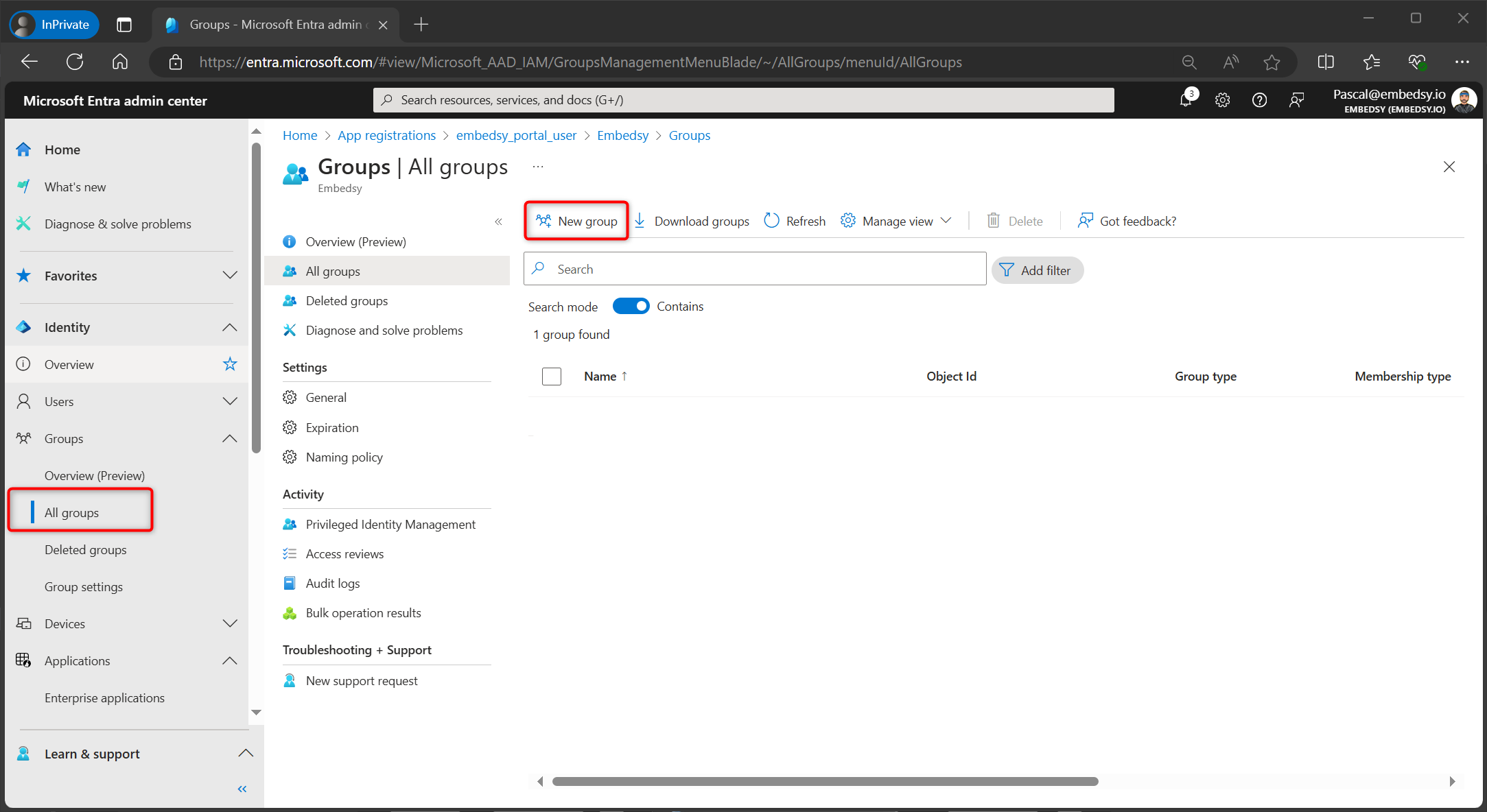
Navigate to Microsoft Entra and go to Groups. Click on New group.
Step 2
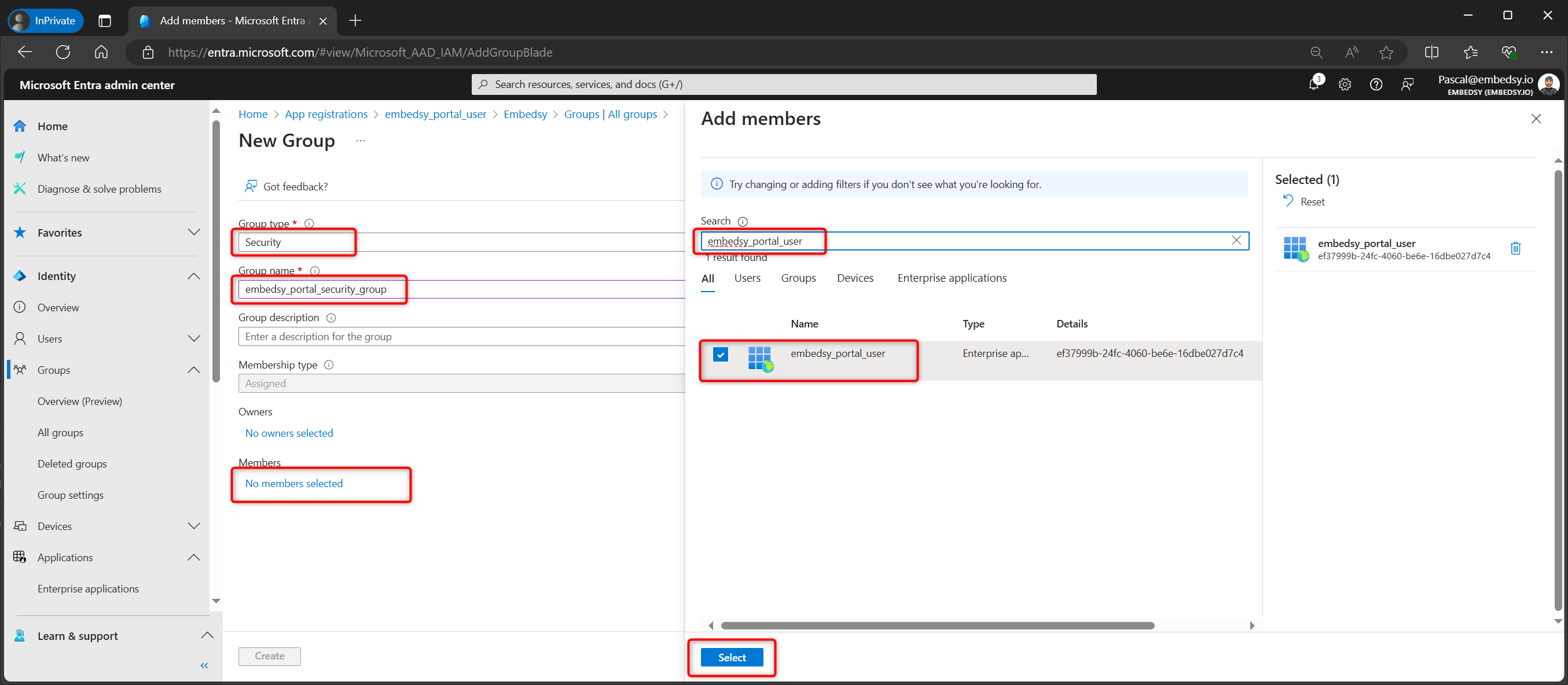
Select Security as the Group type and give it a name. Under Members, add the Service Principal you created in the previous step.
Step 3
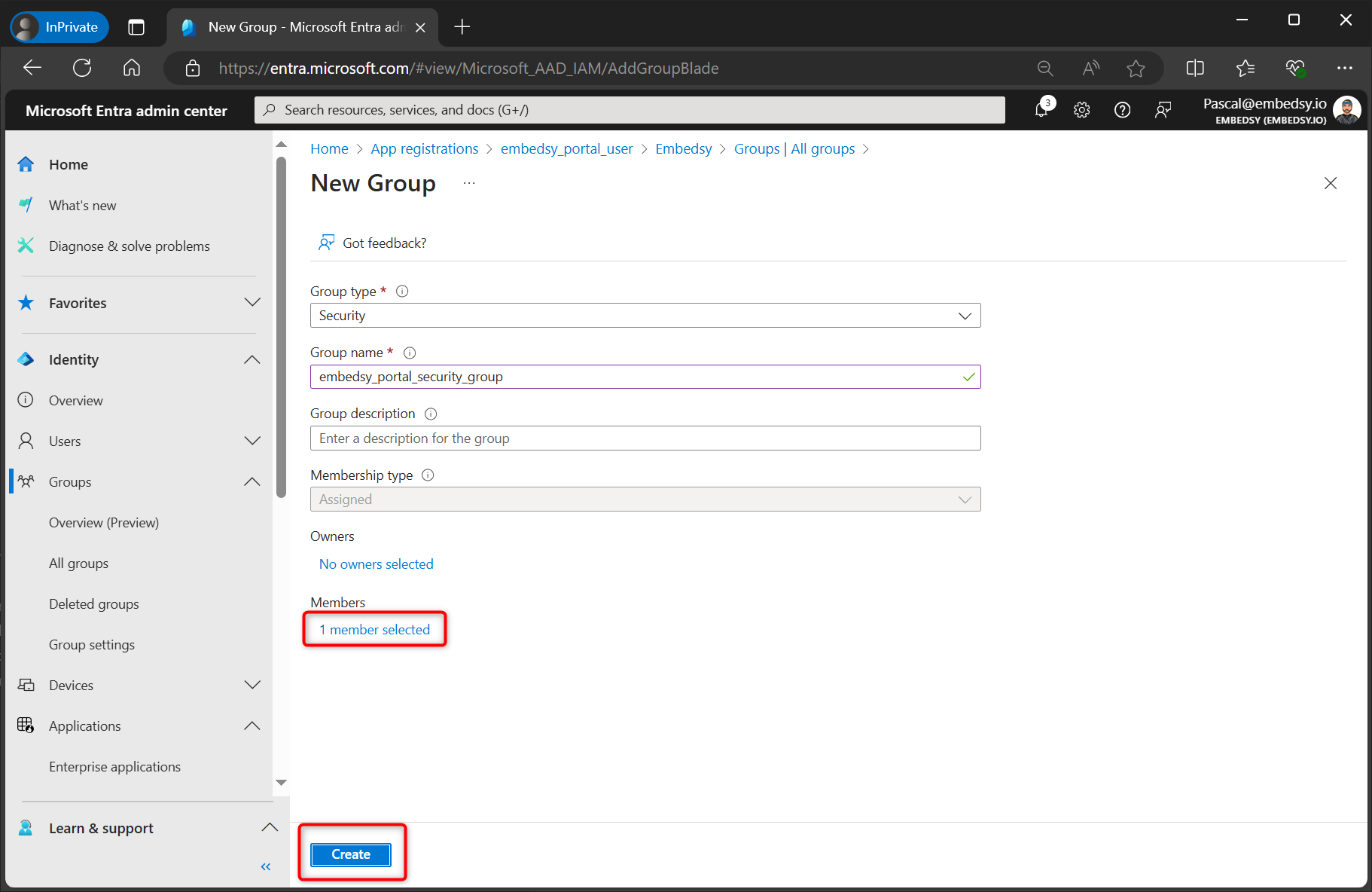
Verify that the Service Principal is listed as a member and click Create.