Use Custom Domain
How to configure a custom domain for your ProConomics Portal.
Step 1
Register a custom domain with your preferred domain registrar if you haven't already.
Step 2
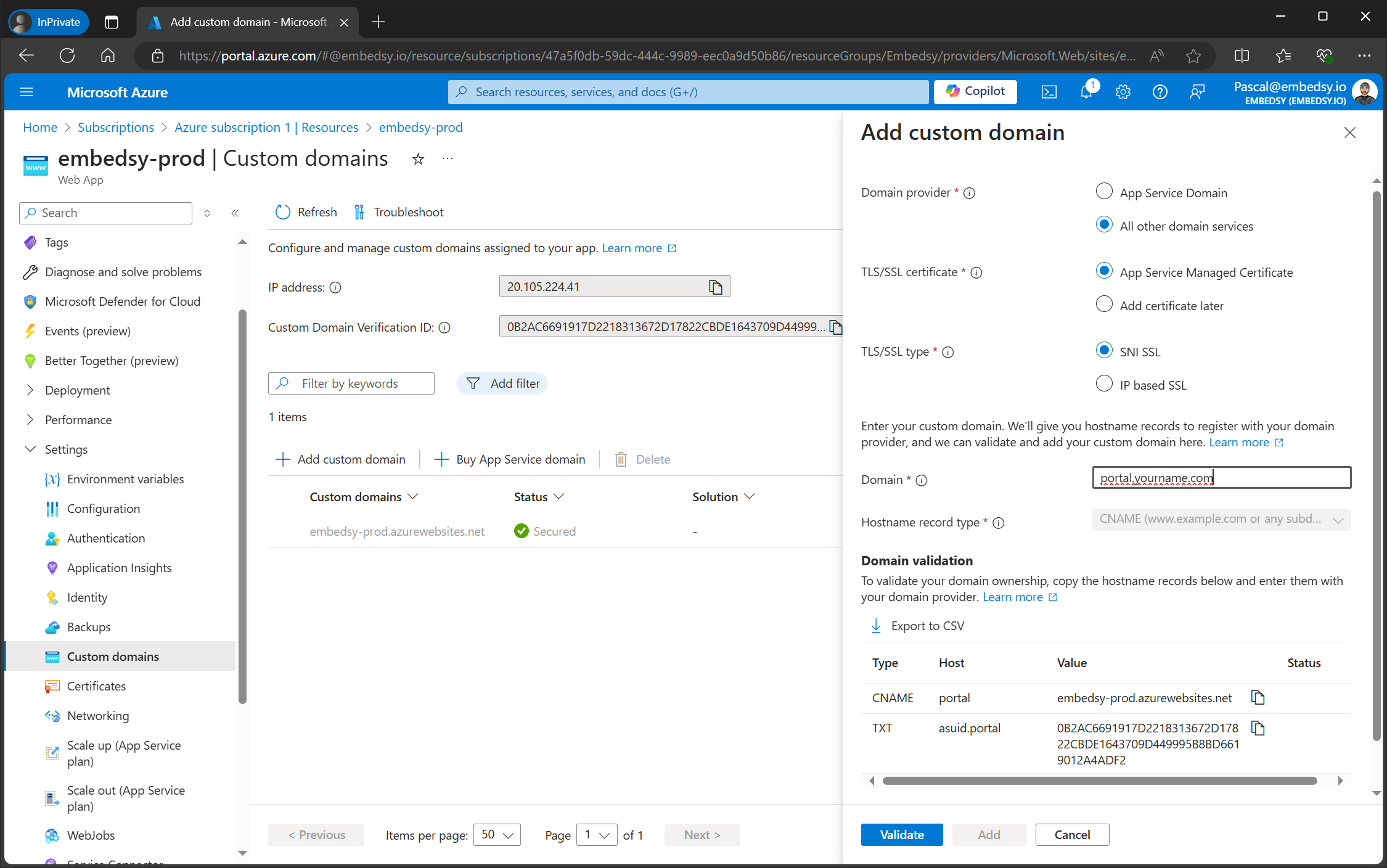
Add the required DNS records. You will need to add a CNAME record pointing to your Azure Web App URL.
Step 3
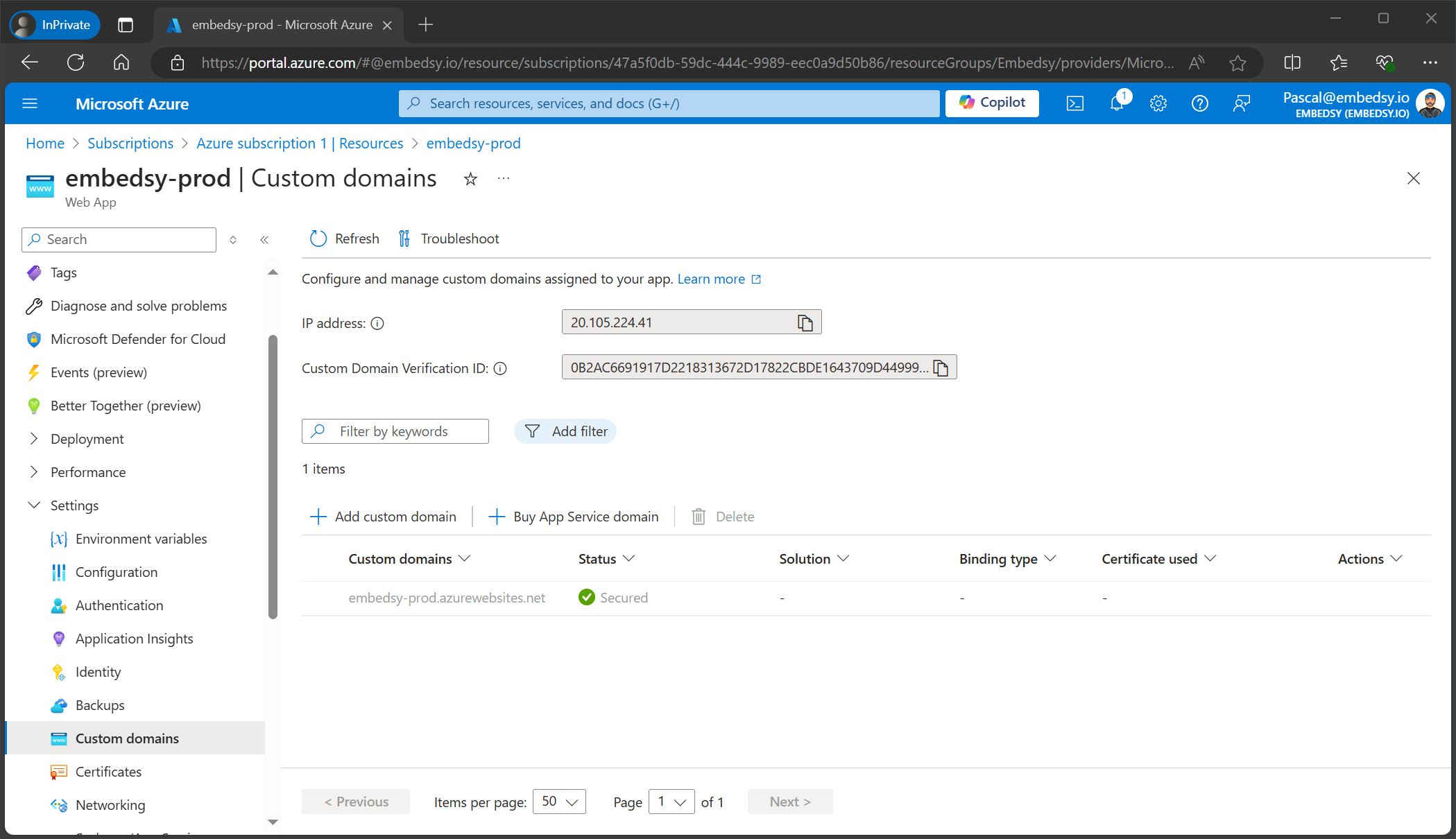
Navigate to your Azure Web App and go to Custom domains. Click on Add custom domain and enter your domain name.
Step 4
After the domain is validated, Azure will automatically provision an SSL certificate for your custom domain.
Step 5
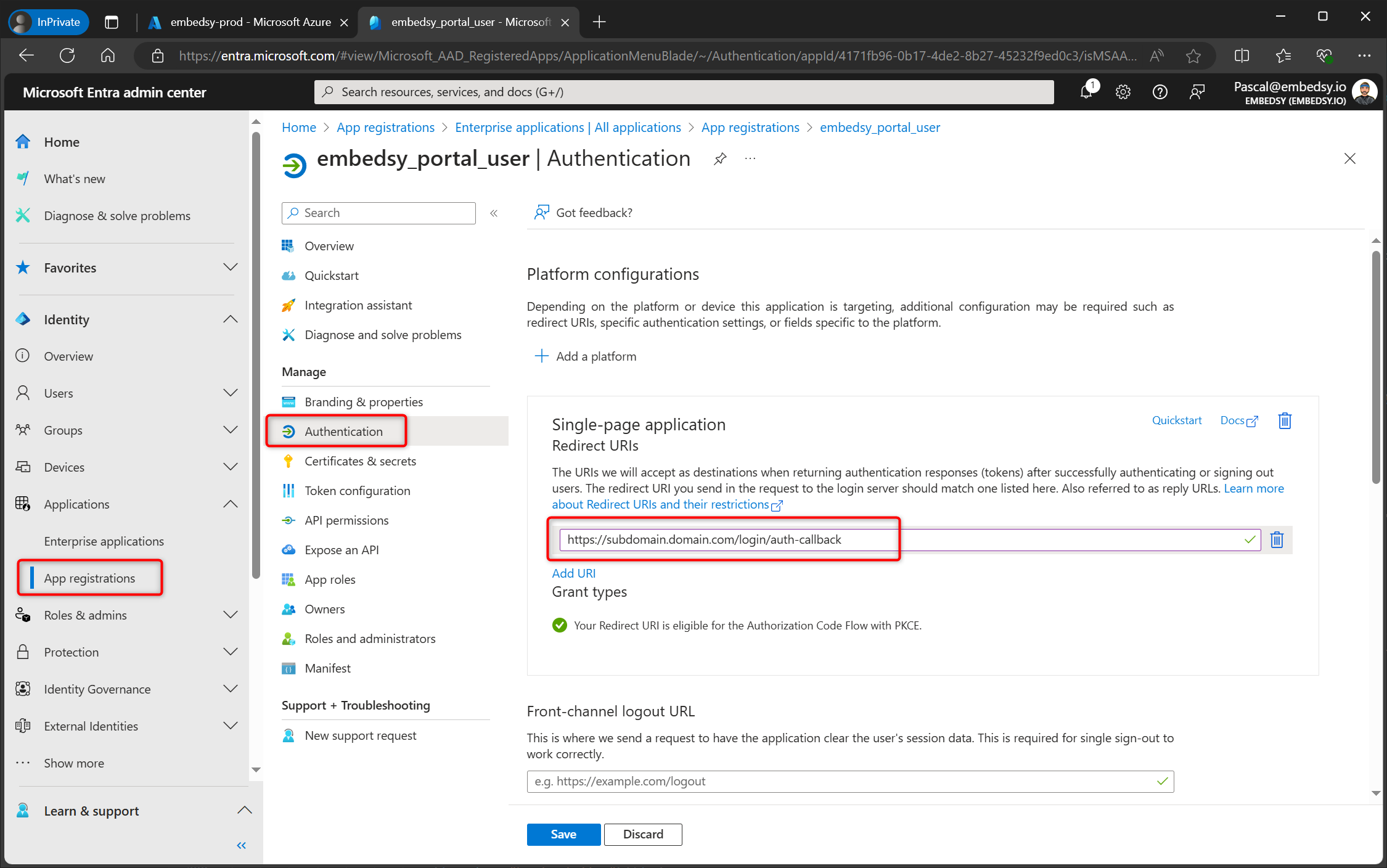
Finally, update the Redirect URI in your Service Principal to include the custom domain. Go back to Microsoft Entra > App Registrations > your Service Principal > Authentication, and add the new redirect URI with your custom domain.