Capacity Settings
How to assign the Service Principal to Fabric / Embedded capacity.
Step 1
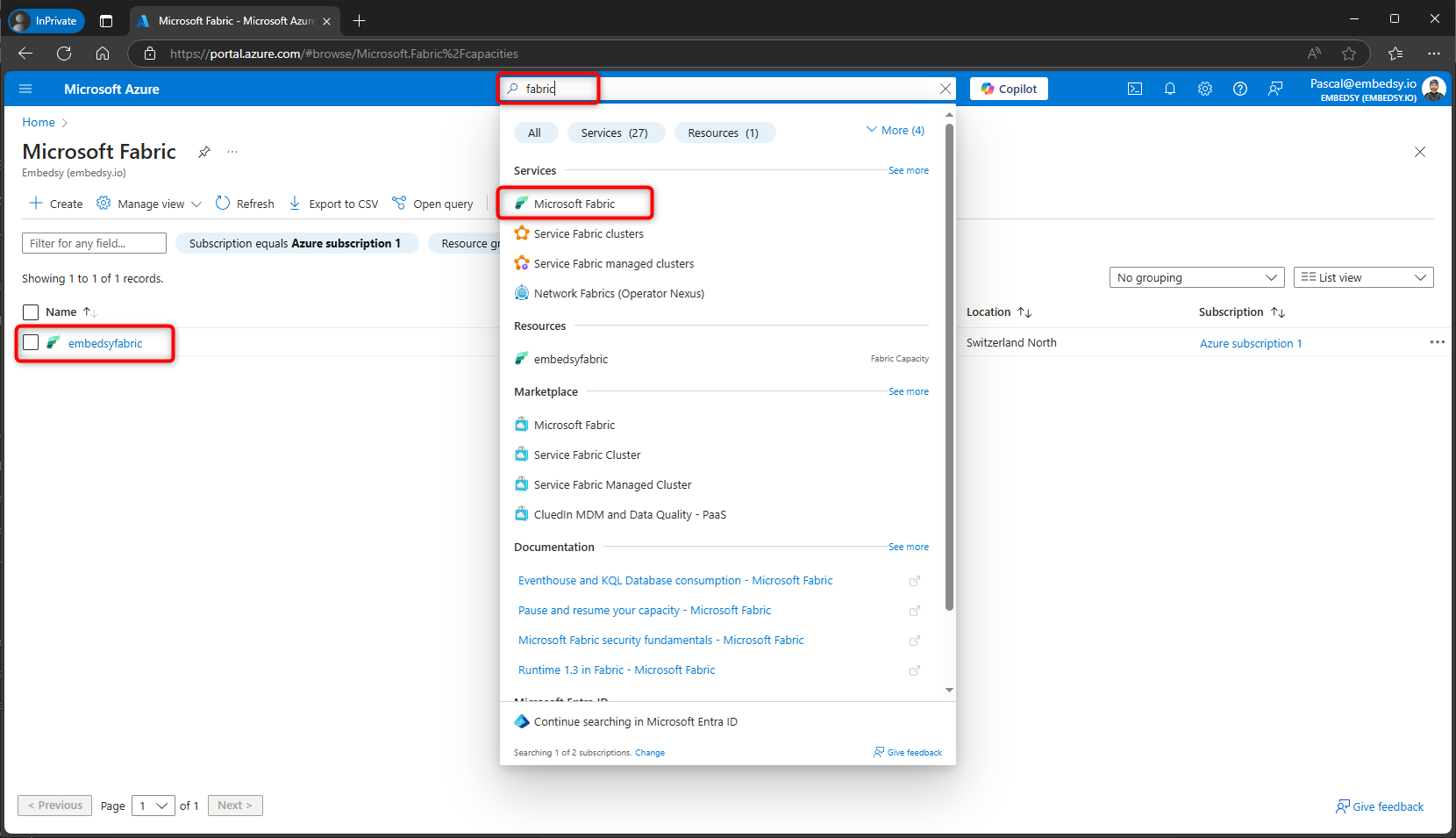
Navigate to the Azure Portal and find your Fabric or Power BI Embedded capacity resource.
Step 2
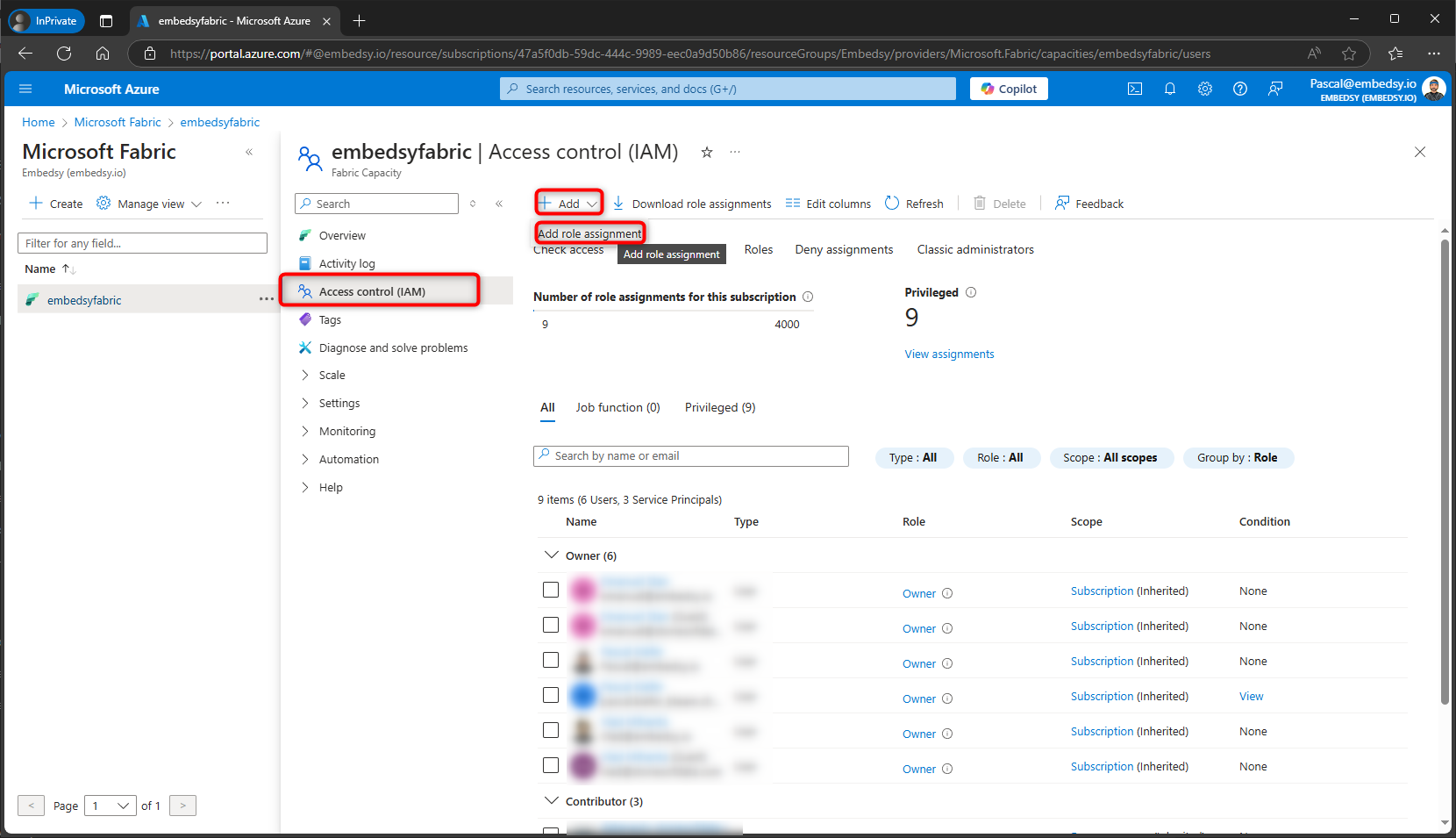
Go to Access control (IAM) and click on Add role assignment.
Step 3
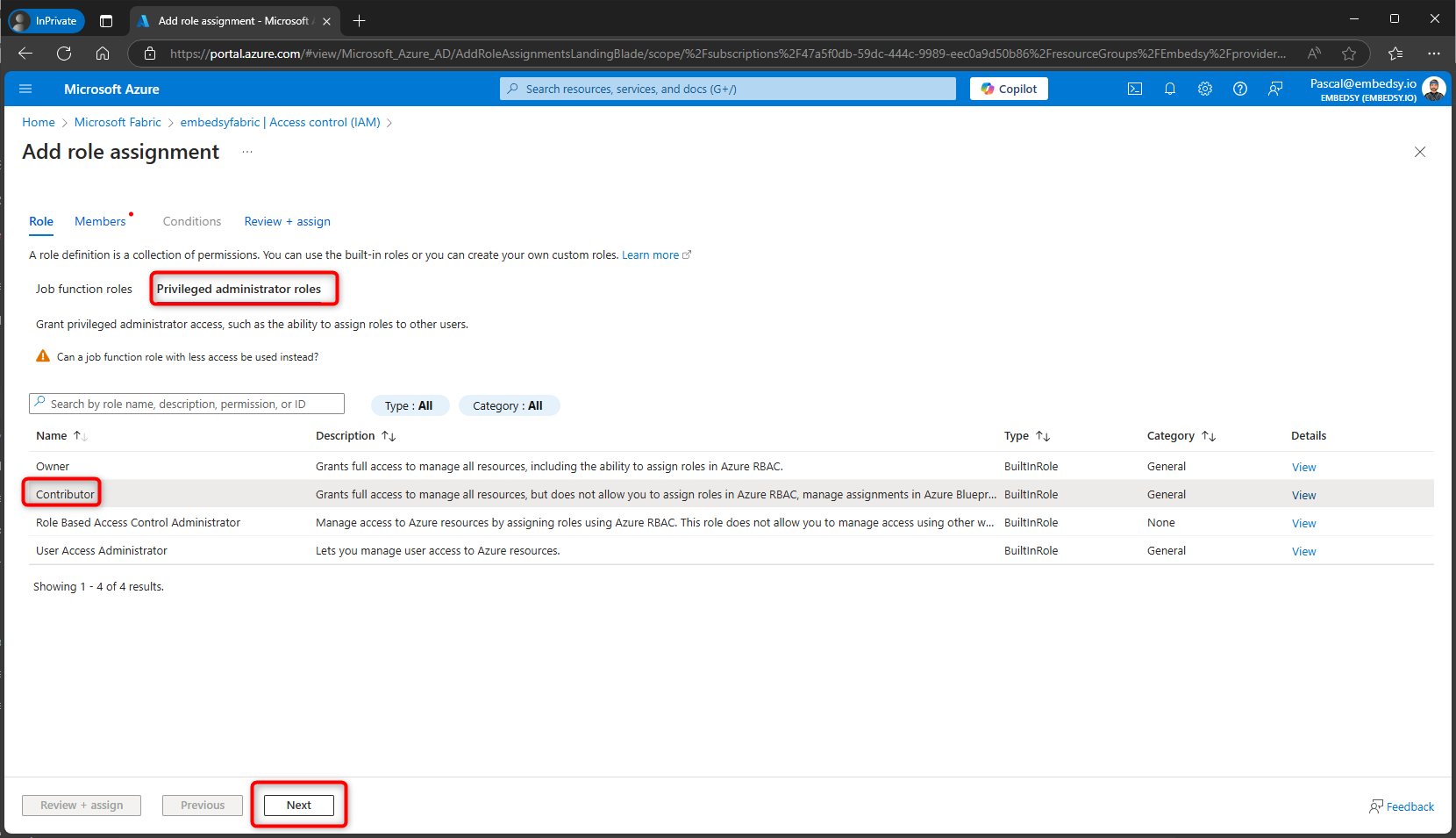
Select the Contributor role.
Step 4
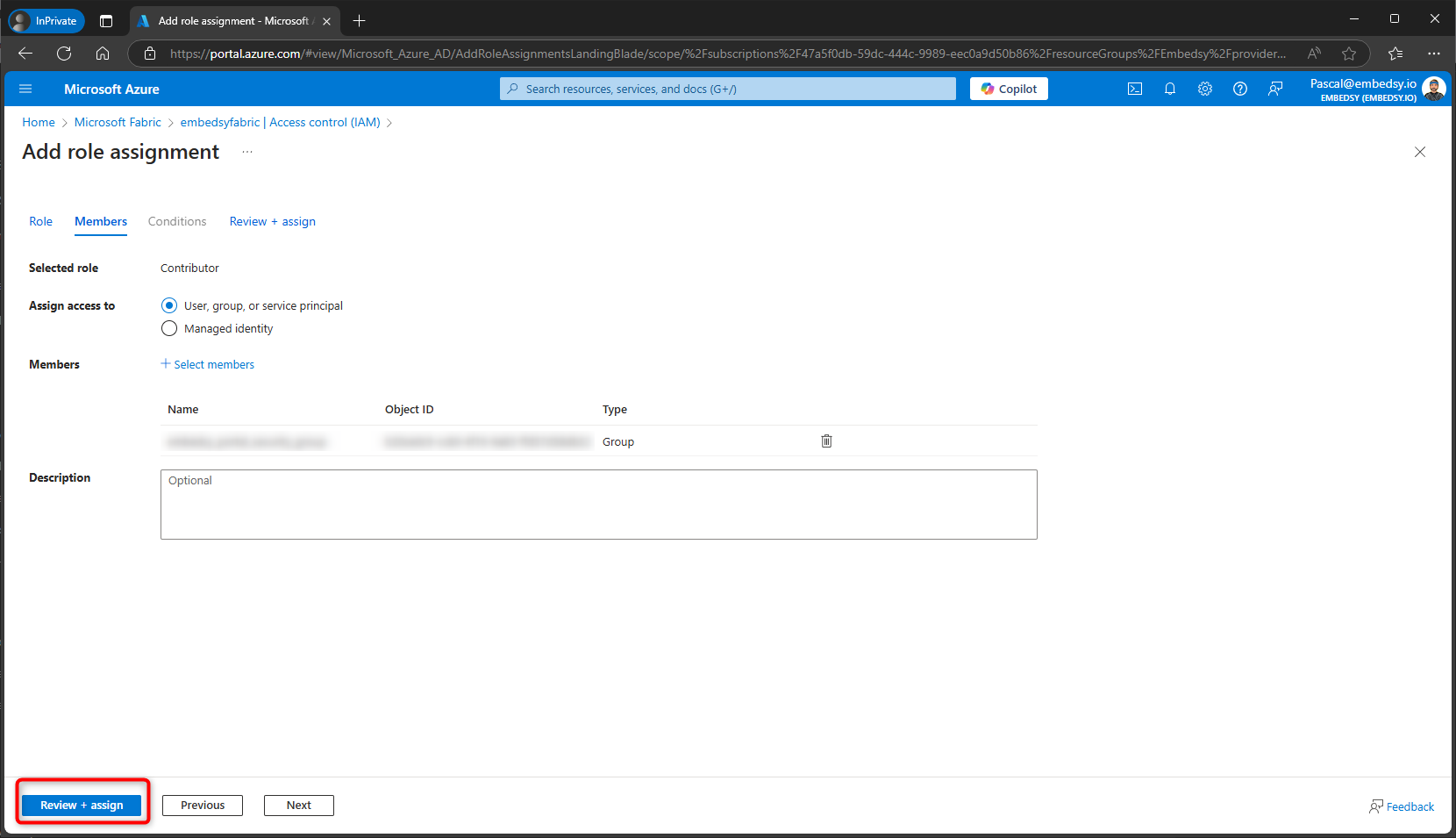
Search for and select the Service Principal you created earlier.
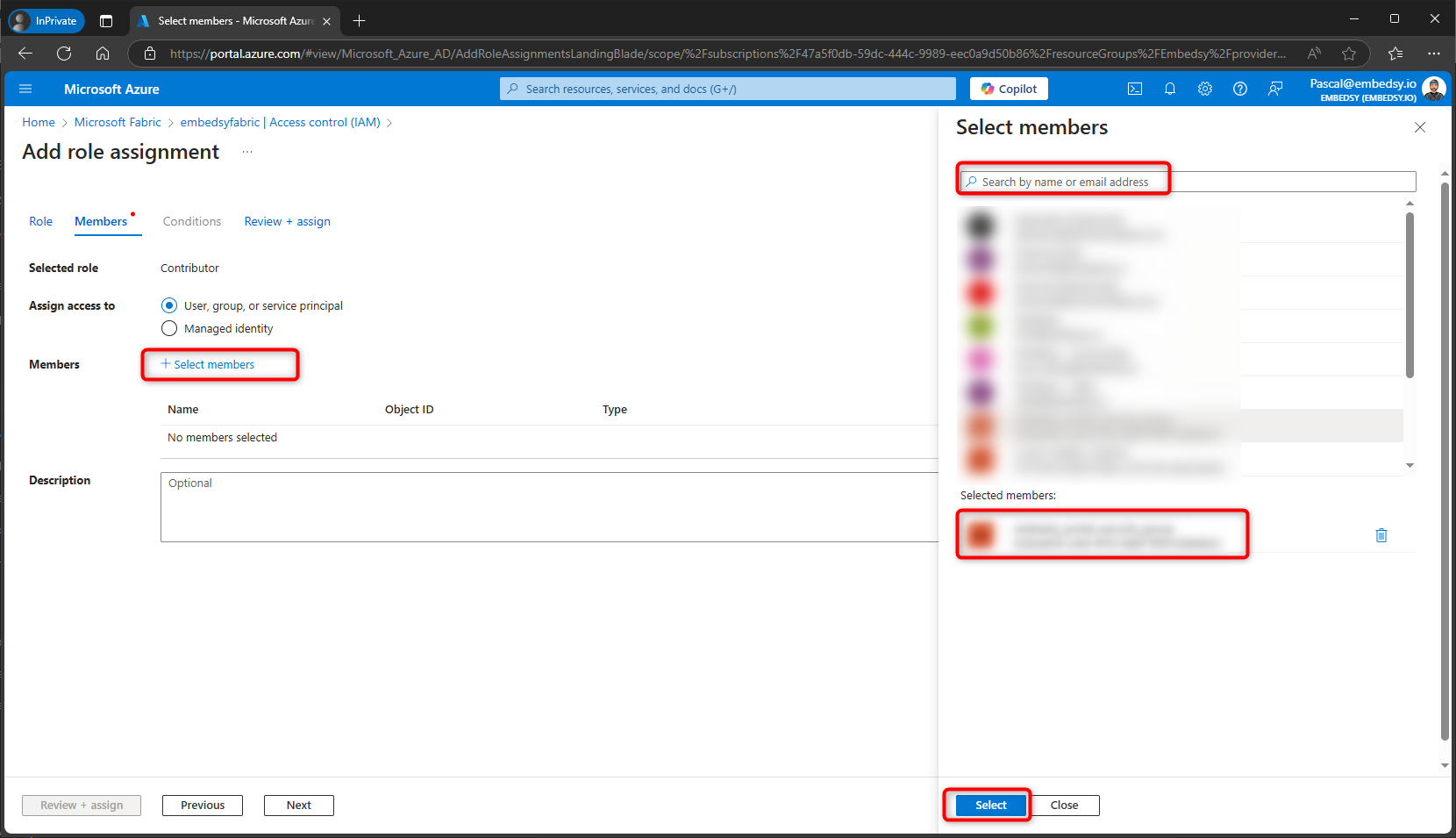
Step 5
Review and assign the role. The Service Principal should now have Contributor access to the capacity.